The Complete Buyer’s Guide to Mini Pc (2026)
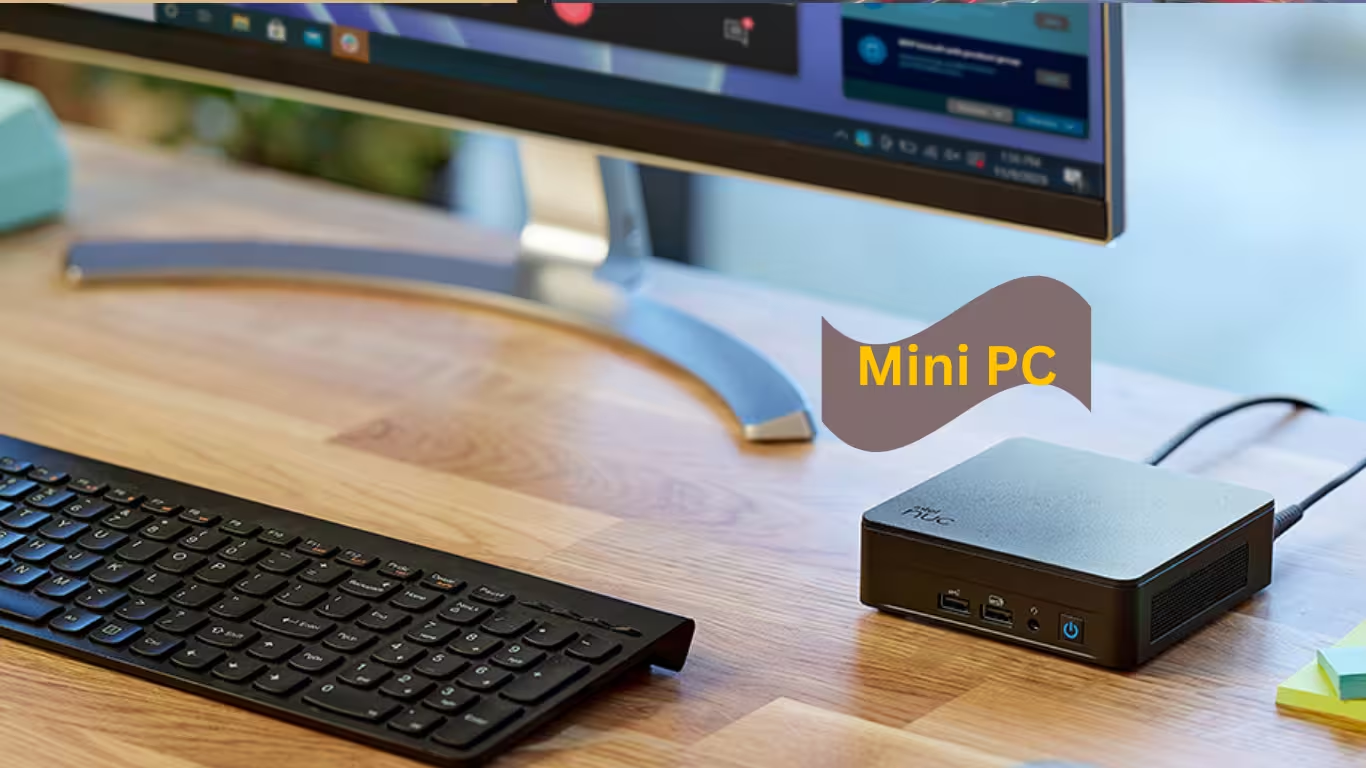
A mini pc delivers full desktop performance in a device smaller than a paperback book. Whether you’re building a space-saving home office, a silent home server, or a portable gaming setup, this guide will help you find the perfect compact computer from our in-stock inventory.
What Is a Mini PC?
A mini pc (also called a mini desktop or small form factor PC) is a complete computer built into a compact chassis, typically measuring just 4–6 inches square and 1–3 inches tall. Unlike traditional towers, these devices prioritize efficiency and space savings without sacrificing everyday performance.
Key Components of Every Mini PC
Every mini pc contains the same core components as a full-sized desktop:
- Processor (CPU): The brain of your system, handling all calculations
- Memory (RAM): Temporary workspace for running applications
- Storage (SSD): Permanent storage for your operating system and files
- Graphics (GPU): Either integrated into the CPU or discrete for gaming
- Connectivity: USB ports, video outputs, networking, and wireless
The primary difference? Mini pc manufacturers optimize these components for thermal efficiency and compact layouts, often using laptop-grade processors that sip power while delivering impressive performance.
Mini PC vs Desktop vs Laptop
Table
| Feature | Mini PC | Traditional Desktop | Laptop |
|---|---|---|---|
| Size | Fits in your palm | Requires desk space | Portable with screen |
| Power Use | 6–65 watts | 300–1000+ watts | 15–100 watts |
| Upgradeability | RAM, SSD, some CPUs | Full customization | Limited |
| Price/Performance | Excellent value | Best raw power | Premium for portability |
| Best For | Home office, server, media center | Gaming, heavy workstations | Mobile productivity |
For most users in 2026, a mini pc offers the sweet spot: desktop-class performance without the desktop footprint.
Mini PCs In Stock Now
We maintain a live inventory of mini pc models ready for same-day shipping. Here are our current best sellers:
Intel N100 Mini PC Models — From $189
The Intel N100 mini pc has revolutionized budget computing. With a 6-watt thermal design, these systems run silent and cool while handling 4K video playback, office applications, and light multitasking.
Featured Model: Beelink Mini S12 Pro
- Intel N100 quad-core processor
- 16GB DDR4 RAM (upgradeable to 32GB)
- 512GB NVMe SSD
- Dual HDMI 2.0 (4K@60Hz on both displays)
- WiFi 6 and Bluetooth 5.2
- VESA mount included
Ryzen 7 Mini PC Performance Models — From $449
For demanding users, AMD Ryzen 7 mini pc systems deliver desktop-grade performance. The integrated Radeon 780M graphics even handle 1080p gaming without a dedicated GPU.
Featured Model: Minisforum UM780 XTX
- AMD Ryzen 7 7840HS (8 cores, 16 threads)
- 32GB DDR5-5600 RAM
- 1TB PCIe 4.0 NVMe SSD
- Radeon 780M graphics (12 GPU cores)
- OCuLink port for external GPU expansion
- Dual 2.5Gb Ethernet ports
Fanless Mini PC Industrial Models — From $299
When silence and reliability matter, our fanless mini pc selection operates 24/7 without moving parts. Perfect for industrial environments, digital signage, and home servers.
Featured Model: Hunsn IM03
- Intel Celeron J6412 (fanless design)
- 8GB DDR4 (industrial-grade memory)
- 256GB industrial SSD
- Wide temperature operation (-20°C to 60°C)
- Dual LAN ports for networking applications
- VESA and DIN rail mounting options
Stock updates hourly. Order by 2 PM for same-day shipping.
Mini PC Specifications Explained
Understanding mini pc specifications ensures you buy the right system for your needs. Here’s what matters most:
Processor (CPU): Intel vs AMD
Your mini pc CPU determines overall responsiveness and capability:
Intel Processors:
- N100/N200: Entry-level, ultra-low power, perfect for basic tasks
- Core i3/i5: Mainstream performance, excellent for business use
- Core i7/i9: High-end, content creation and heavy multitasking
AMD Processors:
- Ryzen 5: Mid-range powerhouse, solid for most users
- Ryzen 7: Performance leader, gaming-capable integrated graphics
- Ryzen 9: Enthusiast grade, workstation-class performance
RAM: How Much Memory Do You Need?
RAM capacity directly impacts how many applications your mini pc can handle simultaneously:
- 8GB: Basic browsing, single application focus, tight budgets
- 16GB: Sweet spot for office work, multitasking, future-proofing [Most Popular]
- 32GB+: Heavy multitasking, virtual machines, content creation, AI workloads
Most mini pc models allow RAM upgrades via SODIMM slots, though some ultra-compact designs solder memory to the motherboard.
Storage: SSD Types and Capacities
Modern mini pc systems use solid-state storage exclusively:
- SATA SSD: Affordable, reliable, 500MB/s speeds
- NVMe SSD (PCIe 3.0): Mainstream standard, 3,500MB/s speeds [Recommended]
- NVMe SSD (PCIe 4.0): Enthusiast grade, 7,000MB/s+ speeds
Capacity planning:
- 256GB: Minimum for Windows 11 + basic applications
- 512GB: Comfortable for most users with cloud storage
- 1TB+: Local media libraries, large game installations, professional workloads
Graphics: Integrated vs External GPUs
Graphics capability varies dramatically across mini pc price points:
Integrated Graphics (Standard):
- Intel UHD / Iris Xe: 4K video, light gaming, business applications
- AMD Radeon 610M: Basic display output, entry-level tasks
- AMD Radeon 780M: Surprisingly capable, 1080p gaming at medium settings
External GPU Support (Premium):
- Thunderbolt 4 / USB4: Connect desktop graphics cards via eGPU enclosure
- OCuLink: Dedicated PCIe connection for minimal performance loss
For serious gaming or 3D rendering, choose a mini pc with Thunderbolt 4 or OCuLink support and add an external GPU.
Connectivity: Ports and Networking
Evaluate your mini pc port selection against your peripherals:
Essential Ports:
- USB-A (3.2 Gen 2): Keyboard, mouse, storage, accessories
- USB-C (with DisplayPort): Modern monitors, docking stations
- HDMI 2.0/2.1: Direct monitor connection, 4K support
- Ethernet (RJ45): Wired networking, lower latency
Advanced Connectivity:
- Dual LAN ports: Router/firewall applications, link aggregation
- USB4/Thunderbolt 4: 40Gbps data, eGPU support, single-cable docks
- WiFi 6E / 7: Latest wireless standard, reduced congestion
Choose Your Mini PC by Use Case
Match your workload to the right mini pc configuration:
Mini PC for Office and Remote Work
Remote workers need reliable, quiet systems that won’t dominate desk space. The ideal office mini pc prioritizes efficiency and multi-monitor support.
Recommended Specs:
- Intel N100/N200 or Ryzen 5 7530U
- 16GB RAM minimum
- Dual HDMI or HDMI + DisplayPort
- WiFi 6 for stable wireless connectivity
Our Pick: Intel N100 systems with 16GB RAM — silent operation, sufficient power for Microsoft Office, Zoom, and browser-based workflows.
Mini PC for Home Server and NAS
Transform a mini pc into a 24/7 server for file storage, media streaming, or home automation. Low power consumption makes these economical to run continuously.
Critical Features:
- Dual LAN ports (network redundancy and routing)
- Fanless design (silent bedroom/living room operation)
- Expandable storage (multiple M.2 slots or 2.5″ bays)
- Low TDP processor (under 15 watts idle)
Our Pick: Fanless dual-LAN models with Intel N100 or AMD Embedded processors. We offer pre-configuration with TrueNAS, Proxmox, or Ubuntu Server.
Mini PC for Gaming
Gaming on a mini pc requires realistic expectations. While integrated graphics handle esports titles and older games, modern AAA releases demand external GPU solutions.
Gaming-Capable Integrated Graphics:
- AMD Ryzen 7 7840HS (Radeon 780M): 1080p medium settings, 60 FPS in most titles
- AMD Ryzen Z1 Extreme: Handheld-optimized, surprisingly capable
eGPU-Ready Options:
- Thunderbolt 4 or OCuLink connectivity
- Sufficient CPU to feed high-end desktop GPUs
- Robust power delivery (90W+ adapters)
Our Pick: Ryzen 7 7840HS systems with OCuLink for future GPU expansion.
Mini PC for Content Creation and AI
Video editors, photographers, and AI enthusiasts need mini pc systems with strong multi-core performance and fast storage.
Required Specs:
- Ryzen 9 or Intel Core i7/i9 (8+ cores)
- 32GB+ DDR5 RAM
- 1TB+ PCIe 4.0 NVMe SSD
- Thunderbolt 4 for fast external storage
- Intel Arc or AMD graphics for AV1 encoding acceleration
Our Pick: High-end Ryzen 9 models with upgradeable RAM and multiple M.2 slots.
Mini PC for Industrial and Digital Signage
Commercial deployments demand reliability over raw performance. These mini pc systems operate in challenging environments.
Industrial Requirements:
- Fanless, passive cooling (no dust intake)
- Wide temperature tolerance (-20°C to 60°C)
- VESA mounting for display integration
- Serial ports (RS-232/RS-485) for legacy equipment
- HDMI-CEC for display control
Our Pick: Industrial fanless models with Intel Embedded or AMD Embedded processors, 3–5 year availability guarantees.
Our Most Popular Mini PCs
These mini pc models consistently earn top ratings from verified buyers:
#1 Bestseller: Beelink SER6 Pro
“Perfect home office upgrade” — 4.8★ (127 reviews)
- AMD Ryzen 7 7735HS
- 32GB DDR5, 500GB NVMe
- From $499
- Ships same day
#2 Bestseller: Intel N100 Mini Desktop
“Great for my Plex server” — 4.7★ (89 reviews)
- Intel N100, 16GB RAM
- 512GB SSD, dual LAN
- From $229
- Fanless option available
#3 Bestseller: Minisforum UM790 Pro
“Surprising 1080p gaming” — 4.9★ (56 reviews)
- AMD Ryzen 9 7940HS
- 64GB DDR5 capable
- OCuLink + USB4
- From $699
Mini PC Setup Guide
Your new mini pc arrives ready to configure. Follow these steps for optimal performance:
Step 1: Unboxing and Inspection
Your mini pc package typically includes:
- Mini PC unit
- Power adapter (65W–120W depending on model)
- VESA mount kit with screws
- Quick start guide
- HDMI cable (most models)
Note: Monitor, keyboard, and mouse sold separately. Select models include Windows 11 pre-installed; barebones units require OS installation.
Step 2: Initial Connections
- Connect power adapter to mini pc and wall outlet
- Attach monitor via HDMI, DisplayPort, or USB-C
- Connect USB keyboard and mouse
- Press power button (usually front or top panel)
Step 3: First Boot Configuration
Enter BIOS/UEFI by pressing DEL or F2 during startup. Recommended settings:
- Enable XMP/EXPO: Run RAM at advertised speed (3200MHz+)
- Adjust fan curves: Balance cooling and noise (if applicable)
- Configure boot order: Ensure primary SSD is first
Step 4: Operating System Installation
If your mini pc arrived barebones, install your preferred OS:
- Windows 11: Best compatibility, gaming support
- Ubuntu 22.04/24.04: Free, excellent for development
- Proxmox: Virtualization platform for home servers
- TrueNAS Scale: Network-attached storage operating system
We offer pre-installation services — select “OS Installation” at checkout for a ready-to-use system.
Step 5: Optimization Tips
Maximize your mini pc performance:
- Update all drivers from manufacturer website
- Enable hardware-accelerated video decoding
- Configure Wake-on-LAN for remote access
- Set up automatic backups to external storage or cloud
Contact Support for Setup Assistance
Mini PC Upgrades and Accessories
Extend your mini pc capabilities with compatible upgrades:
Memory Upgrades
Most mini pc systems use standard SODIMM modules:
- DDR4-3200: Compatible with Intel N100/N200 and older Ryzen models
- DDR5-4800/5600: Required for Ryzen 7000 series and Intel 12th+ gen
Storage Expansion
Add capacity to your mini pc:
- M.2 NVMe SSDs: Primary storage upgrades, up to 4TB
- 2.5″ SATA SSDs: Secondary storage in compatible chassis
- External USB-C SSDs: Portable expansion for Thunderbolt/USB4 models
Essential Peripherals
Complete your mini pc setup:
- Compact mechanical keyboards: 65% or 75% layouts save desk space
- Wireless mice: Bluetooth or 2.4GHz for clean aesthetics
- Portable monitors: USB-C powered displays for mobile setups
- USB-C hubs: Expand connectivity for ultrabook-style mini pc models
Shop Mini PC Bundles — Save 15%
Why Buy From [Your Shop Name]?
When you purchase a mini pc from our store, you receive benefits unavailable from marketplace sellers or overseas vendors:
In-Stock Inventory with Same-Day Shipping
We warehouse mini pc systems domestically. Order by 2 PM Monday–Friday for same-day dispatch. No month-long waits from overseas.
Pre-Sales Testing and Quality Assurance
Every mini pc undergoes powered-on testing before shipping:
- POST verification
- Stress test (15 minutes full load)
- Port functionality check
- WiFi and Bluetooth verification
Local Warranty and Support
- 2-year standard warranty on all mini pc systems
- Domestic RMA process — no shipping to China
- Phone and email support during business hours
- Remote troubleshooting assistance
Configuration Services
- OS installation: Windows 11, Ubuntu, or specialized distributions
- RAM and SSD upgrades: Professionally installed and tested
- Business deployment: Imaging, domain joining, bulk pricing
30-Day Hassle-Free Returns
Not satisfied with your mini pc? Return within 30 days for full refund. No restocking fees for unopened systems.
Mini PC Buyer’s Checklist
Not sure which mini pc fits your needs? Download our comprehensive checklist:
[Download: 2026 Mini PC Buyer’s Checklist PDF]
This 2-page guide includes:
- Spec comparison worksheet
- Use case matcher
- Budget calculator
- Upgrade planning template
Enter your email to receive the checklist and exclusive mini pc deals.
Conclusion: Find Your Perfect Mini PC Today
The mini pc category has matured dramatically. In 2026, these compact computers handle everything from basic office work to AI inference and 1080p gaming. With local processing power becoming essential for privacy and AI workloads, mini pc systems offer the ideal balance of capability, efficiency, and value.
Whether you need a silent home server, a space-saving workstation, or a portable powerhouse, our curated selection of in-stock mini pc models ships today with local support and warranty coverage.
Ready to buy? Browse our complete mini pc inventory, filter by your specifications, or contact our team for personalized recommendations.